Please Select a Location

Chennai

Coimbatore

Bengaluru
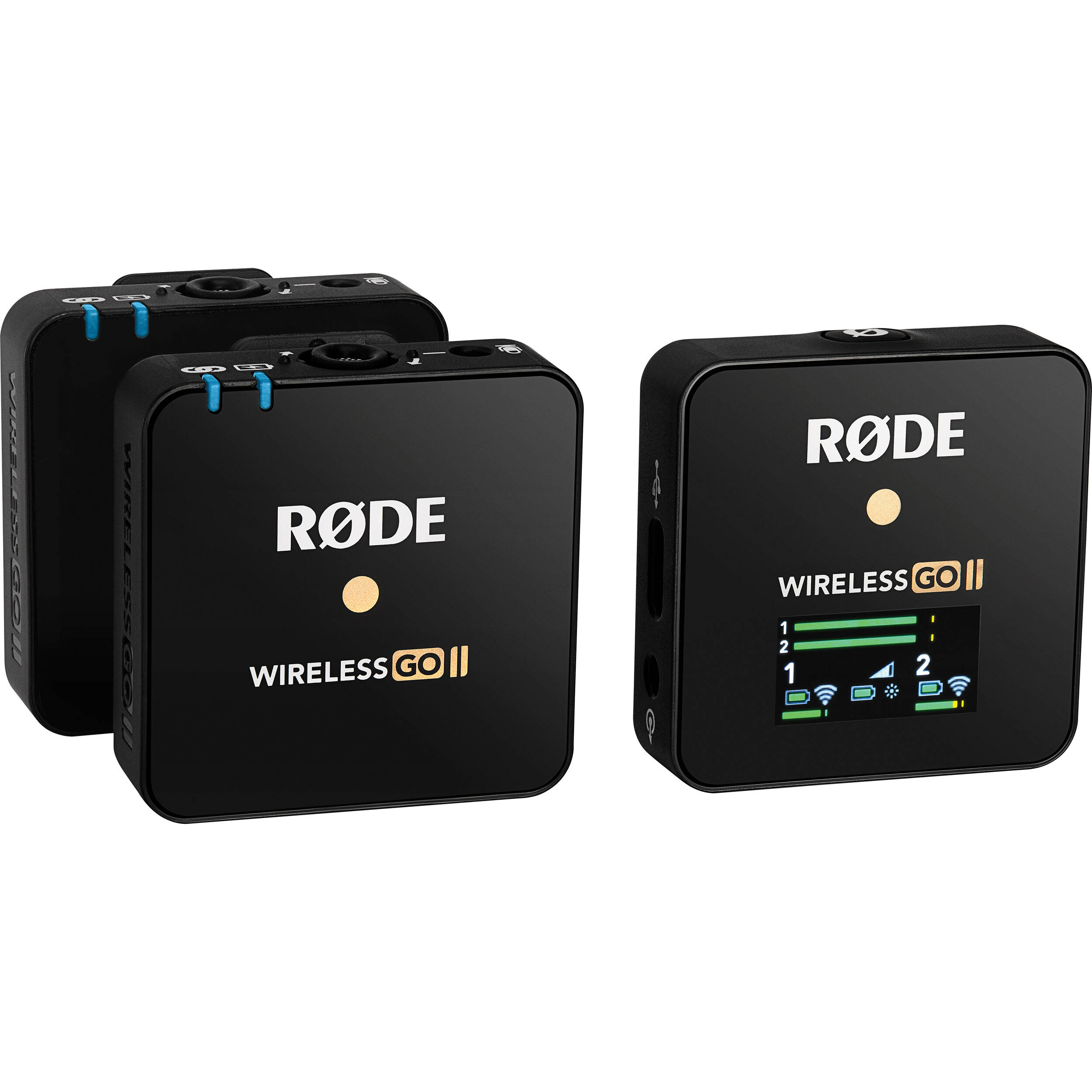
Ask any working DOP or wedding cinematographer what ruins a shoot faster than a missed focus pull, and most will say the same thing: bad audio. You can colour-grade a slightly underexposed frame. You cannot fix a wireless dropout in the middle of a vow, a CEO sound bite, or the punchline of an interview. This is the reason the RODE Wireless GO II has quietly become the default "throw-it-on-anyone" wireless system on Indian sets — it's small enough that talent forgets they're wearing it, and reliable enough that you stop babysitting the audio meter. If you're shooting in Bangalore and need a dual-channel wireless system that just works, this is the one most rental clients reach for first.
Before you commit, it helps to know what kind of work this kit is genuinely built for. From what we see at our Bangalore counter, the Wireless GO II goes out most often for:
Two-person interview shoots at corporate offices in Whitefield, ORR and Manyata Tech Park, where you need clean lavalier audio on both subjects without running cables. Wedding cinematographers covering pheras and receptions at venues like ITC Gardenia, Leela Palace, or banquet halls in Sadashivanagar — where the bride and groom each get a transmitter and the receiver sits on the gimbal or A-cam. YouTube creators and podcast guests who need a quick handheld setup that doesn't look like broadcast gear. Real estate and architectural walkthroughs where a single presenter is moving through a property. Documentary and BTS shoots where the talent is mobile and the crew needs a backup recording running in case the camera drops sync.
If your work is closer to film production with multiple lavs, longer runs, and a dedicated sound recordist on a Sound Devices or Zoom F-series mixer — you're better served renting a Sennheiser EW-DP or going to a full timecode-capable system. The Wireless GO II is a content-creator-and-event tool. It's exceptional at that job. It is not a replacement for a proper sound team on a feature set.
Our standard Bangalore rental of the RODE Wireless GO II includes the full retail kit: one receiver (RX), two transmitters (TX1 and TX2), a charging cable, three furry windshields, three SC2 TRS-to-TRS cables for camera connection, and the carry pouch. We test every unit before dispatch, update the firmware via RODE Central, and verify the on-board recording memory is cleared. If you need add-ons like RODE Lavalier GO mics (to clip the lav onto the talent's collar instead of the bare transmitter), USB-C output cables for direct-to-phone recording, or cold shoe mounts for your specific camera — mention it when you book and we'll bundle it.
RODE's marketing talks about Series IV digital transmission with 128-bit encryption and a 200-metre line-of-sight range. The number you should care about is not 200 metres. It's how the system behaves in a crowded RF environment. Bangalore venues are dense with WiFi access points, Bluetooth speakers, conference room hardware, and the occasional rogue 2.4GHz device. Older single-channel wireless systems start crackling under that load. The Wireless GO II uses adaptive frequency hopping, which means if it detects interference on one frequency, it shifts to a cleaner one without you noticing.
In real terms: expect rock-solid performance up to about 70–80 metres in a typical wedding hall or office floor with the RX in clear line of sight on your camera or gimbal. Drop a wall and a few hundred guests in between, and that drops to 25–40 metres reliably. Anything beyond that, you're rolling the dice, and this is where the next feature becomes invaluable.
Each transmitter has internal memory that holds over 40 hours of uncompressed audio. You enable it once via the RODE Central app before the shoot, and from then on every time you power on the TX, it records a backup file directly to the unit. So even if the RX loses signal for ten seconds during the speeches, the TX has a clean, full-quality recording sitting on it. You pull it later via USB-C and sync it in post.
This single feature is why the GO II has displaced more expensive kits on event shoots. You stop sweating the dropout. The "safety channel" mode adds another layer — the RX can record the same audio at a lower gain (typically -10 or -20 dB) on the second channel, so if your talent suddenly laughs or claps near the mic and clips the main channel, the safety channel preserves an unclipped version. Enable it before the shoot. Forget it during the shoot. Thank yourself in the edit.
Quoted battery life is seven hours. Realistic battery life with the unit powered on, recording internally, and transmitting in a moderately noisy RF environment is closer to 5.5–6 hours. For a full-day wedding running 10–12 hours, plan to top up the transmitters during the lunch break — a 30-minute USB-C charge gets you through the evening. Bring a power bank if your shoot location doesn't have reliable wall sockets.
The internal microphone on each transmitter is genuinely good for a clip-on. It's an omnidirectional condenser, and clipped to a shirt collar 15–20 cm from the mouth, it produces broadcast-acceptable audio. But "acceptable" is not "ideal." If your talent is wearing a kurta, sherwani, lehenga, or any garment where a visible black box on the chest is a problem, rent it with a RODE Lavalier GO. The lav plugs into the 3.5mm jack on the transmitter, which becomes a hidden bodypack you can clip to a waistband or inside a jacket. This is also the right call for any shoot where you need to hide the mic completely.
The receiver outputs audio three ways: a 3.5mm TRS analog jack (for DSLRs and mirrorless cameras like the Sony A7 IV, Canon R5, R6 Mark II, Panasonic GH6, and FX3), USB-C digital out (for Android phones, computers, or USB-C iPads), and the same USB-C port handles iOS digital audio with the right cable. If you're shooting on a Sony FX3 or A7S III, set the camera's audio input to manual gain, dial in around -12 to -18 dB, and disable the camera's auto-level. For BMPCC 6K and Pocket 6K Pro users, use the line-level output mode in RODE Central to avoid the impedance mismatch that creates hiss on Blackmagic bodies.
If you're recording into an external recorder like a Zoom H6 or Tascam DR-60D, the GO II plays nicely with both. Just be aware that the RX outputs at TRS standard, so for any TRRS-only device (older smartphones without adapters), you'll need an SC7 cable or the USB-C path.
This is the part most first-time renters skip and regret. Plug each transmitter into a laptop with RODE Central installed, and you can configure: gain stages (low/medium/high or dB-precise), safety channel on/off, on-board recording always-on, pad settings for loud environments, and merged vs split mode on the receiver (split keeps TX1 on left channel and TX2 on right; merged combines them into a single mono mix). For interviews, always use split mode — you want the freedom to balance levels for each speaker in post. For weddings where you've put one TX on the groom and one on the priest, split mode again. Merged mode is mostly useful when you have one talent and want both channels as a redundant safety.
We pre-configure rental units with sensible defaults, but if you have specific needs, tell us when booking and we'll set it up so it's ready to roll the moment you leave.
Rent the Wireless GO II when you need: two wireless sources, fast setup, minimal crew overhead, a backup recording on the transmitter, and a system that disappears on the talent. It's perfect for weddings, corporate interviews, podcasts, vlogs, real estate, BTS, and run-and-gun documentary work.
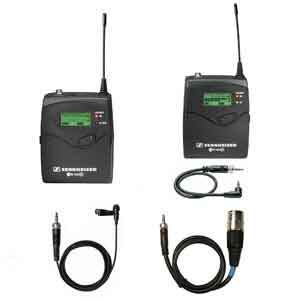
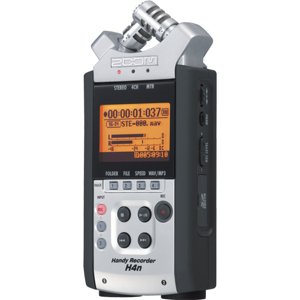
Rent the RODE Wireless PRO instead if you need 32-bit float recording (so you can salvage clipped or under-gained audio in post) or timecode sync for multi-cam shoots. Rent a Sennheiser ew 112P G4 or EW-DP if you're working in extremely RF-dense environments like trade shows, or if a sound recordist on your team prefers UHF over 2.4GHz. Rent a lavalier mic with the Zoom H5N if your shoot is single-talent, stationary, and you'd rather have studio-grade audio than wireless convenience.
Charge all three units (two TX, one RX) to 100% the night before. Do a five-minute test recording with both transmitters and listen back on headphones to confirm clean audio. Verify on-board recording is enabled on both TX. Pack the furry windshields even if you're shooting indoors — the ceiling fans at most Indian banquet halls produce enough air movement to add wind rumble. Carry a power bank with USB-C output. Bring spare SC7 or SC2 cables in case the supplied one fails. Set the camera audio input to manual and lock the gain.
Our Bangalore counter handles same-day and multi-day rentals on the Wireless GO II, and we deliver across the city for shoots running over multiple locations. Apply the code COOL25OFF at checkout to get 25% off your rental — valid sitewide on all bookings made before 31st July 2026, including the Wireless GO II and any add-ons you bundle with it.
Can the RODE Wireless GO II work with an iPhone for reels and vlogging? Yes. The receiver outputs digital audio over USB-C, and with a USB-C-to-Lightning adapter (or directly into an iPhone 15/16 with USB-C), it works with the native camera app, Filmic Pro, and most third-party recording apps. For older Lightning iPhones, you'll need RODE's official SC15 cable.
Is the internal mic on the transmitter good enough for paid client work? For corporate interviews, podcasts, and YouTube, yes — it's broadcast-acceptable when clipped 15–20 cm from the mouth. For weddings where the mic might be visible on formal attire, or any shoot where you need maximum clarity and minimum clothing rustle, pair it with a Lavalier GO.
How many transmitters does one receiver support? Two. The RX pairs with two TX units simultaneously and records them on separate channels. If you need more than two wireless sources, you'll need a second Wireless GO II kit or step up to a different system.
Does it record without a camera connected? Yes. Each transmitter records internally to its own memory once you enable on-board recording. You don't need the receiver or any camera to be present — the TX is a self-contained recorder. This is the single biggest reason cinematographers trust it as a backup even when running a separate sound recordist.
Will the 200-metre range hold up at large outdoor venues? In open-air conditions with clear line of sight — yes, comfortably. Inside a packed wedding hall with walls, guests, and competing 2.4GHz signals, expect reliable performance up to 25–40 metres. Beyond that, the on-board recording is your insurance.
Can I use it as a USB conference mic or for live streaming? Yes. The receiver works as a class-compliant USB audio device on Mac, Windows, and most Android devices. It shows up as a microphone input in OBS, Zoom, Google Meet, and Streamlabs. For live streaming, use merged mode if you want a single combined channel, or split mode if your streaming software handles stereo input.
Do you provide lavalier mics with the rental? We can bundle RODE Lavalier GO mics with the Wireless GO II at the time of booking. Mention it when you reserve the kit and we'll include them with the dispatch.